


Human Design: Stella
4.62.52K Reviews
App Specs
- Version
- 4.0.7
- Updated On
- License
- Free
- Downloads
- 500,000+
- Developer
- Viyatek
- Categories
- Lifestyle
- Platform
- Android, iOS
Screenshots
 Analysis by AppCompare
I’d approach Human Design: Stella as a reflective tool rather than a source of fixed answers. The app centers on a personal chart and the ideas used to interpret it, which can make an unfamiliar subject feel approachable. I find that most useful when I treat the readings as prompts for noticing my habits—not as proof that a particular choice is right for me.
Where the first steps can feel confusing
Getting a chart depends on entering your birth details, so the first potential snag is practical: you need to know your birth time and location as well as your date. If you are unsure about the time, it is better to pause and check a reliable personal record than to enter a guess and then assume the resulting interpretation is precise. A chart can look authoritative even when the information behind it is uncertain.
The next hurdle is vocabulary. Terms such as type, strategy, authority, and incarnation cross may be new, and seeing several concepts at once can make it hard to know what deserves attention. I would start with one explanation at a time and keep a note of questions rather than trying to memorize the whole chart in one sitting. The app’s explanations are more useful when you connect them to a real decision or recurring situation.
That slower approach also helps set expectations. Human Design is a framework for self-reflection, not a clinical assessment or a substitute for professional advice. If an interpretation feels unhelpful, overly restrictive, or at odds with what you know about yourself, you do not have to force it to fit.
Small setup checks that save frustration
Before creating a profile, check that the date, time, and place are entered in the intended format and refer to the same birth event. If you are entering details for someone else, confirm them with that person instead of filling gaps from memory. A chart is only as useful as the details you provide, and careful entry is a more sensible first step than trying to troubleshoot an interpretation later.
If the app seems slow or a screen does not load, I would first check the basics: confirm the device has a working connection, close and reopen the app, and make sure it is up to date. Stella is listed as free, though it also offers in-app purchases, so I would look closely at any purchase screen and decide whether an optional expense fits my needs before proceeding. The app is rated for Everyone, but that age label does not mean every interpretation will resonate with every person.
Making a reading useful instead of overwhelming
A practical way to use the app is to choose one theme—perhaps how you approach decisions—and compare the explanation with a specific recent example. Write down what seems relevant, what does not, and what you might test in a low-stakes situation. This keeps the experience grounded and makes it easier to separate a genuinely useful prompt from a description that merely sounds familiar.
Worth Reading Before You Choose

EA SPORTS FC Mobile 26 Is a Bigger Football Game, but It Takes Time

Flipboard Shows What News Apps Must Do Beyond the Feed

Switching to Android Auto Means Rethinking Your Driving Routine

Google Calendar Makes a Crowded Week Easier to Manage

Ludo King Makes the Most of the Minutes Between Plans

Baby Panda World Brings Quick Play to Modern Phones, but Its Game Library Feels Busy
For example, if I were weighing two ordinary ways to structure a workday, I could read the relevant guidance, notice my usual reaction, and try a small adjustment for a few days. I would not use a chart reading alone to make a major career, health, financial, or relationship decision. The app can help me ask better questions, but the consequences still deserve ordinary research, conversation, and judgment.
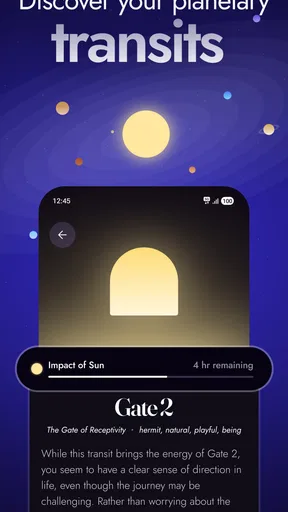
Daily transits may give regular users another prompt for reflection, but I would treat them as a lens rather than a forecast. If a note seems to describe a mood or interaction, I can consider it; if it does not, there is little benefit in bending the day around it. Checking occasionally, then returning to the parts that feel practical, is likely more helpful than letting daily interpretations dictate a routine.
Who may enjoy Stella—and who may prefer another approach
The app is a good fit for curious beginners who want a guided way into Human Design and for people already familiar with the system who want to revisit their own chart. Its combination of chart explanations and learning material gives users a path from basic terms toward more detailed interpretation. The community elements may appeal to someone who enjoys comparing perspectives, although I would keep other people’s readings separate from my own experience rather than treating agreement as validation.
If you mainly want a conventional journal, a habit tracker, or evidence-based mental health support, a dedicated app in one of those categories is a better match. Stella is specifically about Human Design, so its value depends on whether you are interested in that framework. Compared with a general self-help app, it offers a more chart-centered way to reflect; compared with a simple journal, it supplies an interpretive structure but gives you less freedom to start from a blank page.
One useful trade-off is that a detailed system can make reflection feel personal while also encouraging you to label yourself too quickly. I would use the chart as a starting vocabulary, not a box. If a description becomes an excuse to avoid a difficult conversation or to dismiss a new opportunity, that is a sign to step back and consider the situation on its own terms.
Getting Started with Human Design: Stella
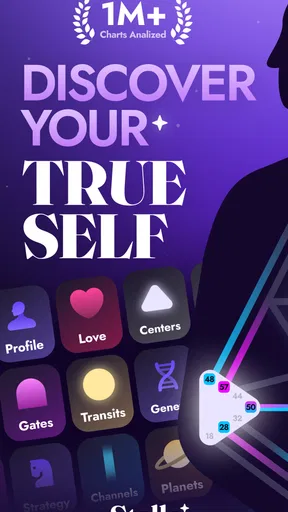
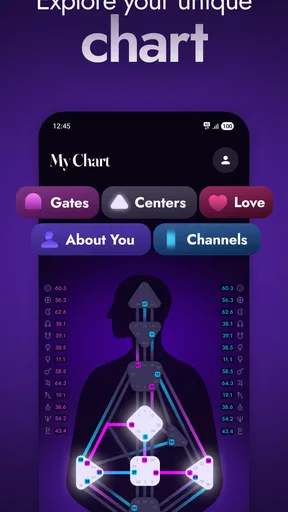
First things first, when you open Human Design: Stella, you're greeted with a sleek and user-friendly interface. It's designed to guide you through setting up your profile with ease. All you need is your birth date, time, and location. Once you've punched in this info, the app generates your Human Design chart. It's like astrology, but on steroids.
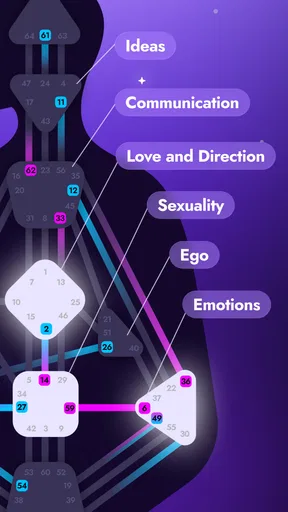
The chart might seem intimidating at first, with all its lines, shapes, and symbols. But don't worry, the app breaks it down into digestible pieces. Each component of the chart tells you something about yourself, from your energy type to your decision-making strategy. It's all about self-discovery, and trust me, you'll be hooked.
Diving Into Your Design
One of the standout features is how deeply personalized the app is. It doesn't just give you a generic reading; it's tailored to you. The app offers detailed explanations of your type, strategy, authority, and even your incarnation cross. It feels like you're peeling back layers of an onion, discovering more about yourself with each layer.
Another cool feature is the daily transits. It’s kind of like a weather forecast for your energy. This part of the app keeps you informed about the planetary influences affecting your chart each day. It’s fascinating to see how these transits might be influencing your mood, energy levels, or even your interactions with others.
Learning and Growing
For those who really want to dive deep, the app offers educational resources to help you understand the Human Design system better. Think of it as a mini-course on your own unique blueprint. There are articles, videos, and even interactive elements to keep you engaged.
What I love is the community aspect. You can connect with others who are also exploring their charts. Sharing insights and experiences with others can be enlightening and offer new perspectives on your own journey.
Practical Use and Everyday Insights
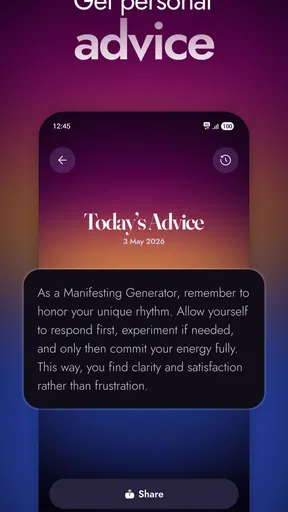
So, how does all this knowledge translate into everyday life? Well, knowing your design can help you make decisions that are more aligned with your true self. Whether it's choosing a career path, understanding relationship dynamics, or just making daily choices, the insights from your Human Design chart can be incredibly empowering.
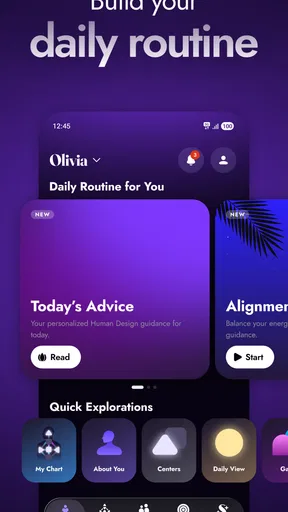
Plus, the app’s reminders and insights can help you stay aligned with your natural flow. It’s like having a little coach in your pocket, nudging you to stay true to yourself.
What I would check before paying for more
The core appeal here is the chance to explore a chart and learn the language around it, but a curious first session does not automatically mean you need every available extra. I would spend time with the material already accessible, notice which questions keep coming up, and only then decide whether a purchase is worthwhile. In-app purchases range from $2.99 to $119.99 per item, a broad spread that makes it especially sensible to inspect the specific offer and its terms before confirming anything.
That price range also changes how I would recommend the app. If you are casually curious, treat the free download as a way to see whether the subject holds your attention, not as a promise that a paid option is necessary. If you already study Human Design and know what kind of added material you are seeking, compare the exact purchase with your goal rather than assuming the most expensive option is the most useful. I would avoid buying anything in the middle of an emotional moment when a reading seems to explain a difficult situation perfectly.
Keeping a grounded personal workflow
One low-effort habit that can make readings more useful is to record the date, the idea you noticed, and one concrete example from your day. After a while, you can look back and see which themes genuinely help you reflect and which ones you quickly forget. That personal comparison is more informative than repeatedly rereading a description and trying to make every sentence fit.
If a profile or chart does not appear as expected, I would retrace the information entered before drawing conclusions about the app or the interpretation. Recheck the birth details, then try reopening the screen or restarting the app. If the same issue continues, a measured next step is to consult the app’s available support route rather than creating duplicate profiles or repeatedly changing details at random. Changing one thing at a time makes it easier to tell whether the problem was an entry mistake or a temporary technical issue.
It is also worth separating a technical problem from a mismatch with the system. A chart that loads correctly can still produce language that feels vague or unlike you; that does not necessarily mean setup failed. Conversely, if a screen genuinely will not load, no amount of reinterpretation will fix it. I find it helpful to ask two different questions: “Did I enter the right information?” and “Does this idea actually help me?” They lead to different next steps.
How Stella fits into a broader routine
As a lifestyle app, Stella is most compelling when I use it in short, intentional sessions rather than as a replacement for reflection itself. A quick check of a concept before journaling can give me a prompt; a longer reading can be useful when I have time to think critically. If I want to track sleep, organize tasks, or build a consistent habit, I would choose a tool designed specifically for that job and use Stella only for its Human Design perspective.
Its chart-based approach also differs from ordinary personality quizzes. A quiz usually gives a compact result that is easy to share and move on from, while Human Design invites repeated interpretation of several connected elements. That extra depth may be appealing if you like a system to explore, but it can feel like homework if you just want a quick personality label. A book or general reference may be better for someone who prefers to learn at their own pace without an app, while a journal offers more room to form conclusions without a preset framework.
For a realistic everyday use, imagine arriving home after a tense conversation and wanting to understand why you reacted as you did. I would first write down what happened in plain language, then consult one relevant part of the chart as a possible prompt. The order matters: starting with the event keeps the interpretation from taking over the memory. I could then decide whether the reading suggests a question worth considering, such as how I reached a decision, while still taking responsibility for what I said and choosing any next conversation based on the facts.
Who should install it, and what to expect
Viyatek’s app has an average rating of 4.6 from around 12,000 ratings, with about 2,300 written reviews, and it has passed 500,000 installs. Those figures suggest that plenty of people are willing to explore it, but they cannot tell you whether its way of thinking will suit you. It is free to install, is rated Everyone, and the current version is 4.0.6; it requires Android 7.0 or later. I would treat those practical details as a quick compatibility check, not as a measure of how personally useful the readings will be.
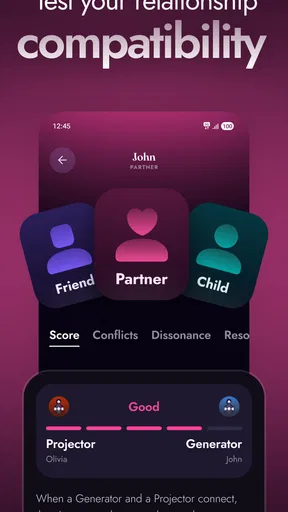
I would recommend trying it if you enjoy reflective frameworks, are willing to learn unfamiliar terms, and can hold interpretations lightly. I would skip it if you need a factual explanation for a serious problem, dislike spiritual or symbolic systems, or tend to feel boxed in by personality labels. People who are exploring the subject with a friend may find the community angle engaging, but a private journal may be more comfortable if they prefer to work through personal questions alone.
Final Thoughts
Overall, Human Design: Stella is a fantastic tool for anyone interested in delving deeper into personal growth and self-awareness. It’s well-designed, easy to navigate, and packed with valuable information. Whether you’re a newbie or a seasoned Human Design enthusiast, there’s something here for you.
So, if you're curious about what makes you tick or just want to understand yourself a little better, give Human Design: Stella a try. You might just uncover some truths about yourself that lead to meaningful change.
My practical verdict
My recommendation is to start with the chart, take one concept at a time, and judge the app by whether it helps you ask clearer questions about your own choices. Stella brings a distinct Human Design lens to lifestyle and self-reflection, and its learning material can make that lens easier to explore. The main cautions are to enter birth details carefully, resist treating interpretations as instructions, and review optional purchases deliberately. Used with that balance, it can be an engaging companion for curiosity; if you want neutral journaling, practical planning, or professional guidance, another kind of resource will serve you better.
Pros
- Intuitive user interface for easy navigation.
- Comprehensive charts and analysis tools.
- Regular updates with new features.
- Customizable notifications and reminders.
- Offline mode for uninterrupted access.
Cons
- Limited free features; in-app purchases needed.
- Occasional bugs in chart loading.
- Requires account registration to use.
- No integration with other wellness apps.
- Complex information may overwhelm beginners.
FAQs for Human Design: Stella
What is the primary purpose of Human Design: Stella?
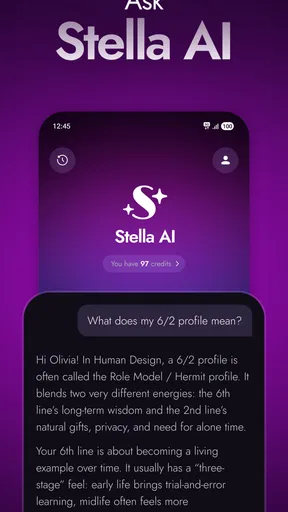
Human Design: Stella is designed to help users gain insights into their unique human design chart. It combines elements of astrology, the I Ching, Kabbalah, and the Chakra system to provide a personalized guide to self-awareness and decision-making. Users can explore their energy types, profiles, and more.
Is Human Design: Stella suitable for beginners?
Yes, Human Design: Stella is user-friendly and suitable for beginners. It provides detailed explanations and guides to help new users understand their charts. The app offers tutorials and resources that make it easy for anyone to start exploring their human design journey without prior knowledge.
Does Human Design: Stella require any personal information?
To generate your human design chart, Human Design: Stella requires basic personal information such as your birth date, time, and location. This data is essential for accurate chart creation. The app ensures user privacy and securely handles all personal information in compliance with privacy regulations.
Are there in-app purchases or subscription fees in Human Design: Stella?
Human Design: Stella offers both free and premium features. While the app provides a comprehensive set of free tools, users can access advanced features and exclusive content through in-app purchases or subscription plans. These options enhance the user experience with deeper insights and personalized guidance.
Can Human Design: Stella be used offline?
Human Design: Stella requires an internet connection for initial chart creation and accessing up-to-date content. However, once your chart is generated, you can view your basic human design information offline. To access additional resources and updates, reconnecting to the internet is necessary.


